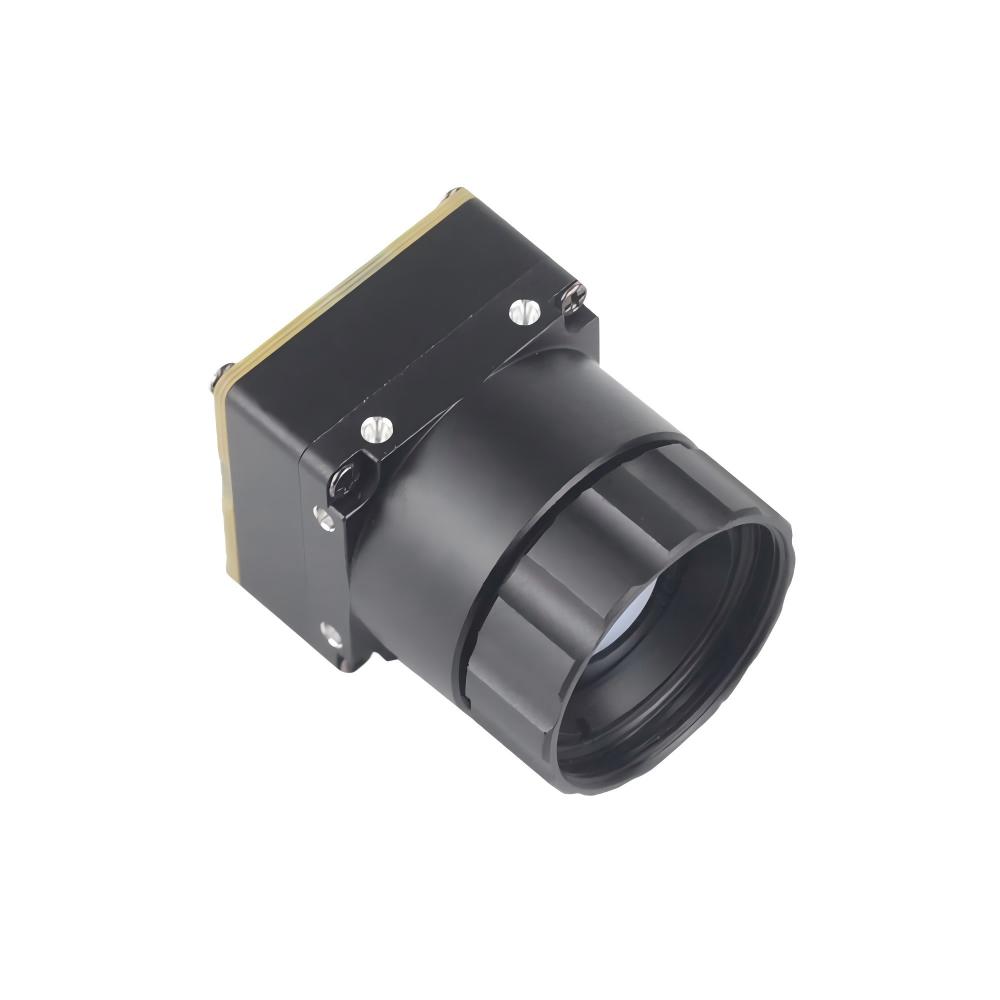
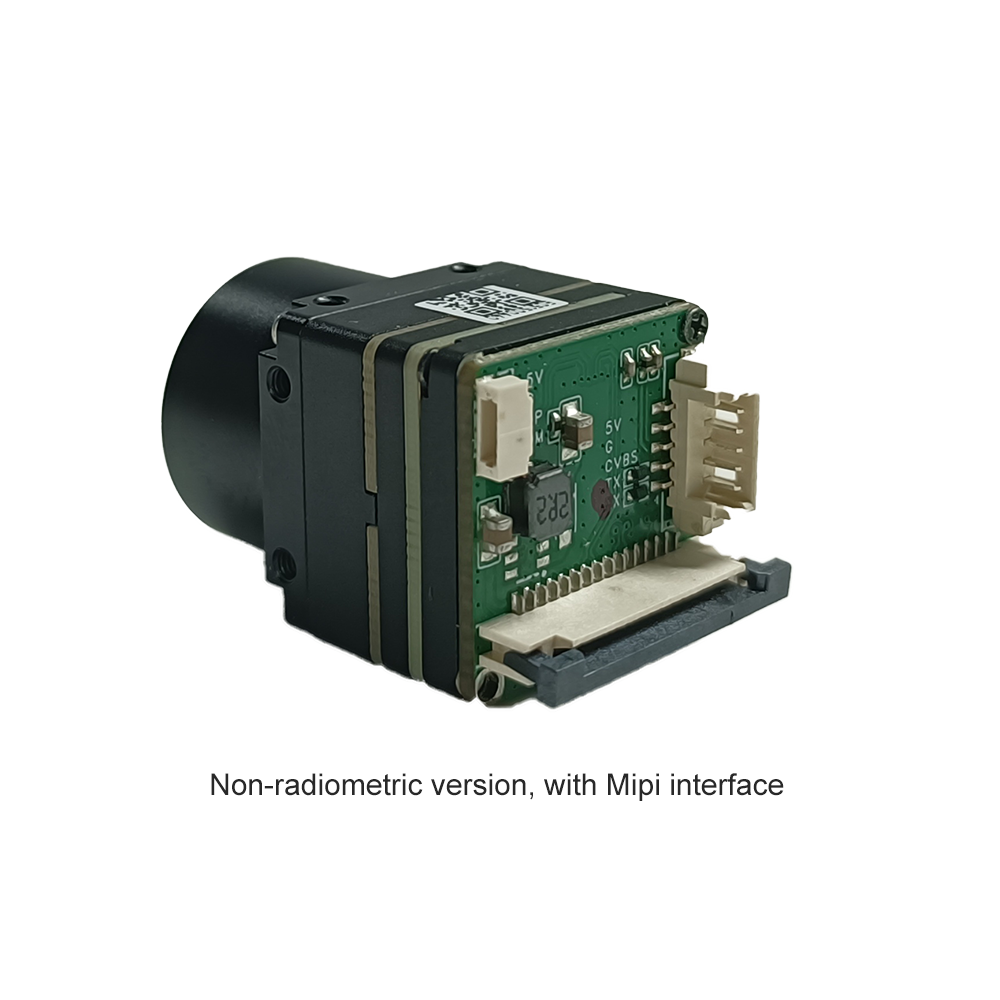
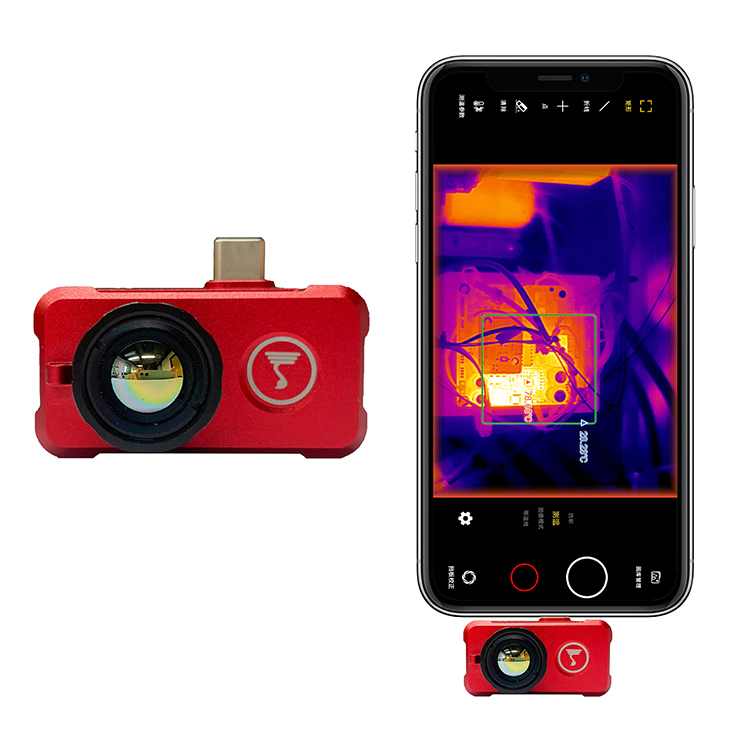

دليل أفضل وحدة كاميرا حرارية صغيرة: تكامل عالي الدقة للطائرات بدون طيار وراسبيري باي والذكاء الاصطناعي الطرفي
10 يونيو 2026
دليل وحدة مستشعر الكاميرا الحرارية: أنوية OEM عالية الدقة للطائرات بدون طيار والحواسيب أحادية اللوحة
11 يونيو 2026
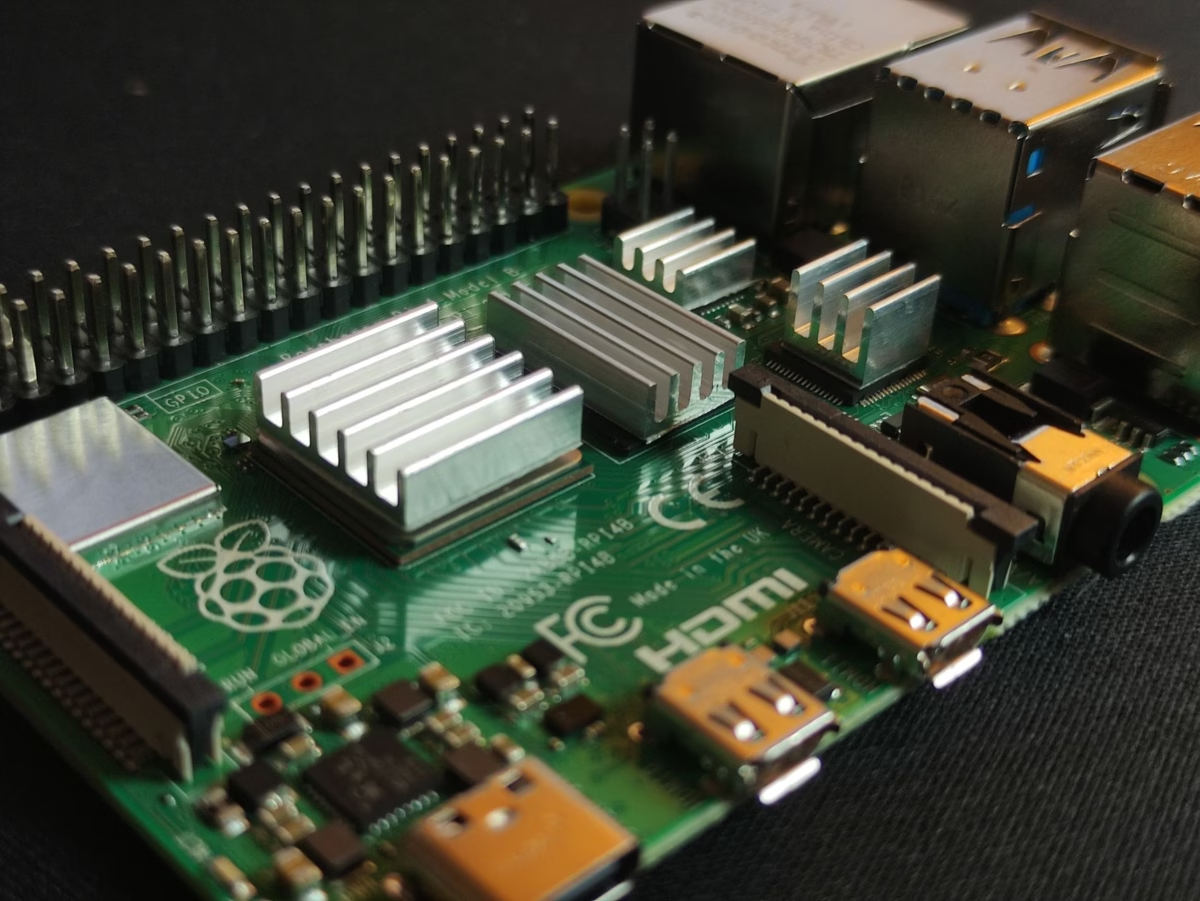
أفضل وحدة كاميرا حرارية لراسبيري باي للذكاء الاصطناعي الطرفي عالي الدقة والبث عبر لينكس
في الميدان، عندما تبني أنظمة للأتمتة الصناعية، أو مراقبة الطائرات بدون طيار، أو كشف الذكاء الاصطناعي الطرفي، لا يمكنك تحمل التخمين. أنت بحاجة إلى بيانات مكانية وحرارية حقيقية وقوية وقابلة للتنفيذ. لسنوات، حاول العاملون في الورشة تدبر أمورهم باستخدام مستشعرات درجة حرارة أساسية ومصفوفات ثرموبيل رخيصة لاستشعار القرب البسيط ومشاريع DIY على طاولة العمل. لكن لنكن صادقين: تلك الإعدادات تنهار تمامًا عندما تضعها في بيئات حرجة المهام مثل مراقبة خطوط الأنابيب عالية السرعة، أو الأمن التجاري، أو ملاحة الطائرات بدون طيار الذاتية. إذا كنت تريد بناء نظام يعمل فعليًا تحت ظروف العالم الحقيقي، فالمعيار واضح: أنت بحاجة إلى وحدة كاميرا حرارية صناعية غير مبردة تعمل بالأشعة تحت الحمراء طويلة الموجة (LWIR) مقترنة بحاسوب لوحي واحد متين ومتعدد الاستخدامات مثل راسبيري باي 4 أو راسبيري باي 5.
اختيار وحدة كاميرا حرارية لـ raspberry pi المناسب لا يتعلق فقط بالتقاط أرخص مستشعر بعدد بكسلات عالي من على الرف. عليك أن توازن بين الدقة الخام، وعبء الواجهة، وقوة المعالجة. إذا حاولت دفع بيانات عالية الدقة (مثل مصفوفة 640×512) عبر ناقل دقيق بطيء وقديم، سيزحف معدل الإطارات لديك وسيرتفع استخدام المعالج. استخدام خطوط أنابيب ذات نطاق ترددي عالٍ مثل USB (UVC) أو RJ45 (RTSP عبر الإيثرنت) هو الطريقة التي تتجاوز بها تلك الاختناقات الهائلة في المعالجة. هذا الدليل هو مخطط كامل من طاولة هندستنا إلى طاولتك، يوضح لك بالضبط كيفية إعداد أنوية مستشعر LWIR غير المبردة الاحترافية مع أنظمة راسبيري باي المبنية على لينكس، وتحسين خطوط أنابيب الذكاء الاصطناعي الطرفي لديك، وبث تغذية حرارية فائقة الوضوح وذات زمن انتقال منخفض.
جدول المحتويات
- 👉 اختناقات المستشعرات منخفضة الدقة المصنعة يدويًا مقابل أنوية LWIR الصناعية
- 👉 بنية مستشعرات LWIR الحديثة: الميكروبولومترات، ASIC، والعدسات
- 👉 بروتوكولات التكامل مع راسبيري باي: أنوية USB/UVC مقابل RJ45/RTSP/IP
- 👉 وحدات راسبيري باي الحرارية الصناعية: المواصفات الحقيقية والمقارنة
- 👉 بناء خط أنابيب للذكاء الاصطناعي الطرفي والبث عبر لينكس على راسبيري باي
- 👉 الأسئلة الشائعة التقنية المتعمقة للأعمال بين الشركات
اختناقات المستشعرات منخفضة الدقة المصنعة يدويًا مقابل أنوية LWIR الصناعية
عندما تبدأ الفرق للتو في رسم مفهوم على طاولة العمل، من المغري جدًا شراء الرخيص. ترى مصفوفات الثرموبيل للمبتدئين مثل MLX90640 (32×24 بكسل) أو AMG8833 (8×8 بكسل) وتفكر، "مهلاً، هذا رخيص، دعنا فقط نستخدم هذا لإثبات المفهوم." لكن إليك الأمر: تلك الرقائق الرخيصة هي في الأساس موازين حرارة مطورة. إنها تعمل بشكل جيد لمهام بسيطة مثل رؤية ما إذا كان إنسان يقف مباشرة أمام كشك ذكي، لكنها تفشل تمامًا عندما تحتاج إلى تتبع الأهداف، أو تشغيل عمليات تفتيش صناعية آلية، أو تحليق كاميرا حرارية على طائرة بدون طيار.
فجوة الدقة المكانية
انظر إلى الحسابات. مصفوفة المستوى البؤري القياسية (FPA) بدقة 640×512 تمنحك بالضبط 327,680 بكسلًا حراريًا فرديًا. بينما يمنحك MLX90640 768 بكسلًا فقط. هذه زيادة هائلة بمقدار 426 ضعفًا في الدقة المكانية. إذا كنت تحاول التقاط مصدر حرارة من على بعد 50 ياردة بمصفوفة 8×8 أو 32×24، فسيشغل ذلك الهدف بالضبط بكسلًا واحدًا أو اثنين ضبابيين. لن تكون قادرًا على معرفة ما إذا كنت تنظر إلى إنسان، أو محرك مضخة على وشك السخونة الزائدة، أو مجرد أسفلت ساخن يعكس الشمس. الصورة ستكون فوضى مكونة من بكسلات.
يوفر قلب LWIR صناعي غير مبرد بدقة 640×512 تفاصيل هيكلية دقيقة وعالية التردد. هذا التعريف الهيكلي هو ما يمكّن الشبكات العصبية ونماذج كشف الحواف والمشغلين البشريين من تحديد الأشكال بشكل موثوق وقراءة التدرجات الحرارية وتتبع الأهداف بعيدة المدى. إذا كنت مهتمًا بمعرفة كيفية توسيع المهندسين لهذه الإعدادات، يمكنك الاطلاع على هل يمكننا تحويل كاميرا عادية إلى كاميرا تصوير حراري؟ أو التعمق في الفيزياء الأساسية في التصوير الحراري يرى العالم: أسرار الأشعة تحت الحمراء التي لا تعرفها.
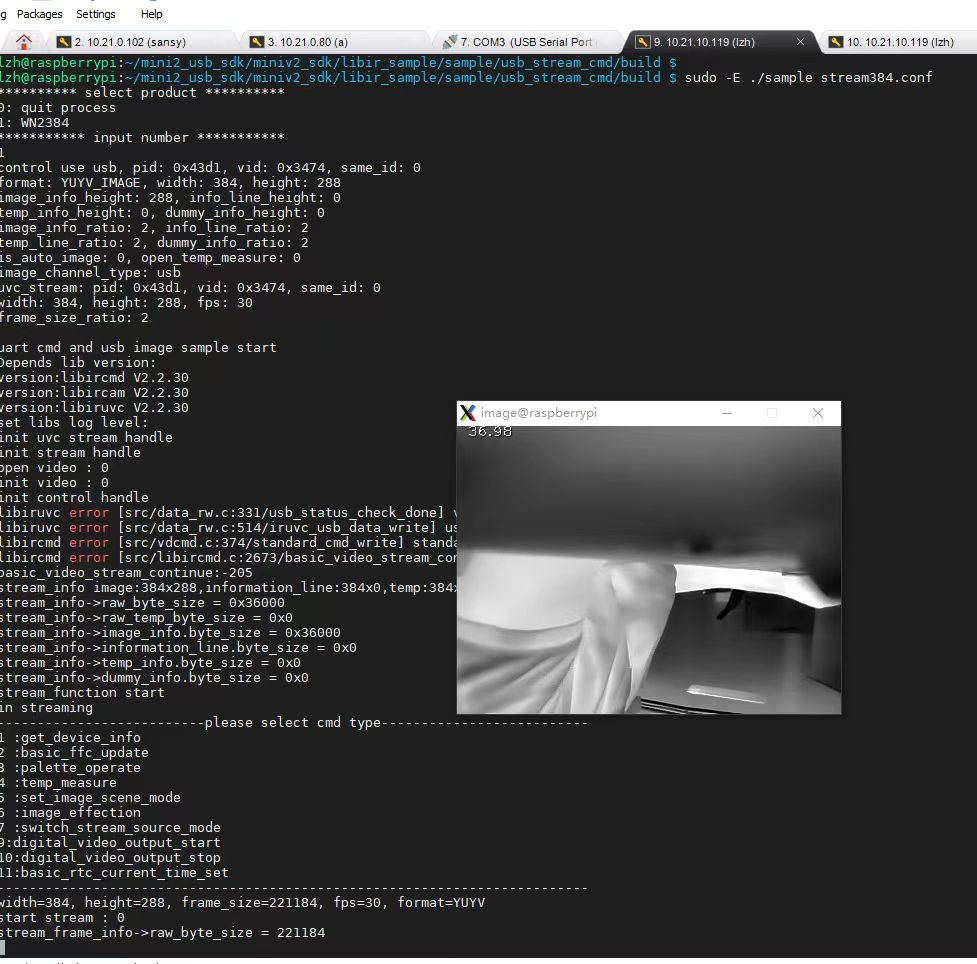
قيود النطاق الترددي والواجهات
عادةً ما تتواصل المستشعرات الرخيصة منخفضة الدقة مع لوحتك عبر I2C أو SPI. إذا حاولت رفع تردد ناقل I2C إلى حدود الوضع السريع بلس (1 ميغابت في الثانية)، فستواجه عبئًا معاملاتيًا عاليًا وانعدامًا تامًا لدعم الوصول المباشر للذاكرة (DMA). الآن قم بالحساب لبث من الدرجة الصناعية: مستشعر بدقة 640×512 يرسل بيانات إشعاعية خام 14-بت (مجمعة في هياكل 16-بت) يعني أن الإطار الواحد يبلغ 655,360 بايت من البيانات. بمعدل أطر قياسي 25 هرتز أو 30 هرتز، فأنت أمام نطاق ترددي مستدام يبلغ حوالي 15.7 ميغابايت/ثانية (أو 131 ميغابت في الثانية).
إذا حاولت دفع هذه الكمية الهائلة من البيانات الخام عبر ناقل SPI أو I2C قياسي في Raspberry Pi، فستخنق النظام. ستشبع الناقل، وترفع استخدام وحدة المعالجة المركزية إلى 100%، وستفقد الأطر يمينًا ويسارًا. عنق الزجاجة هذا في النطاق الترددي يجعل من المستحيل تشغيل فيديو حراري سلس أثناء محاولة القيام بمعالجة حافة فعلية على نفس اللوحة. لحل هذه المشكلة، تستخدم النوى الصناعية الحديثة ASIC على اللوحة أو نظام على شريحة (SoC) للقيام بالمهام الثقيلة مثل معايرة المستشعر وتصحيح البكسلات السيئة وتصحيح عدم الانتظام (NUC) مباشرة على المستشعر. ثم يتم تسليم الفيديو المعالج عبر واجهات نظيفة وسريعة وعالية السرعة:
- ✅ فئة الفيديو عبر USB (UVC): يتيح هذا للكاميرا بث أطر غير مضغوطة مباشرة عبر USB 2.0 أو 3.0. يستخدم هذا برامج تشغيل محرك DMA على مستوى النظام لكتابة بيانات البث مباشرة إلى ذاكرة الوصول العشوائي، مما يعني أن وحدة المعالجة المركزية بالكاد تشعر بأي شيء.
- ✅ RJ45 (RTSP عبر IP): تقوم وحدة المستشعر بضغط الفيديو الحراري مباشرة على اللوحة باستخدام ضغط H.264 أو H.265، وتغليفه، وبثه عبر واجهة شبكة موثوقة. يمكن لـ Raspberry Pi فك تشفير هذا البث باستخدام وحدات VPU المدمجة في الأجهزة، تاركًا وحدة المعالجة المركزية حرة تمامًا لتشغيل نماذج تعلم الآلة ومنطق الحافة الخاص بك.
بنية مستشعرات LWIR الحديثة: الميكروبولومترات، ASIC، والعدسات
مستشعر LWIR الصناعي غير المبرد هو قطعة معقدة للغاية من المعدات الإلكترونية البصرية المصممة للعمل بشكل لا تشوبه شائبة في ظل ظروف ميدانية قاسية. لدمج هذه المصفوفات في منتجات تجارية، تحتاج إلى فهم ما يحدث بالضبط داخل مصفوفة المستوى البؤري، و ASIC المعالجة، والتجمعات البصرية.
ديناميكيات الميكروبولومتر VOx غير المبرد
القلب النابض للمستشعر الحراري الصناعي هو مصفوفة من ميكروبولومترات أكسيد الفاناديوم (VOx) غير المبردة. تتطلب الكاميرات الحرارية المبردة مبردات قريبة ثقيلة ومكلفة وهشة تستهلك طاقة كبيرة. من ناحية أخرى، تقيس ميكروبولومترات VOx غير المبردة تغيرات المقاومة الكهربائية المعتمدة على درجة الحرارة في كل بكسل فردي عند سقوط الأشعة تحت الحمراء الساقطة عليها.
- ⚙️ تباعد البكسل (12μm مقابل 17μm): تستخدم المصفوفات الحديثة تباعد بكسل ضيق يبلغ 12 ميكرومتر بدلاً من المعيار القديم 17 ميكرومتر. يعني تقليل تباعد البكسل أنه يمكنك حزم دقة أكبر على بصمة مستشعر أصغر، مما يسمح لك باستخدام إعدادات بصرية أخف وأكثر إحكامًا دون تضحية.
- ⚙️ الحساسية الحرارية (NETD): تُقاس بوحدة المللي كلفن (mK)، فرق درجة الحرارة المكافئ للضوضاء هو المواصفة التي تخبرك بمدى حساسية المستشعر. قيمة NETD البالغة 40mK أو 50mK تعني أن المستشعر يمكنه تمييز فروق في درجات الحرارة تصل إلى 0.04°C أو 0.05°C. هذا هو الفرق بين رؤية خريطة حرارية واضحة ومفصلة للوحة الدوائر المطبوعة والنظر إلى كومة من التشويش الحُبيبي.
دور أنوية ASIC المخصصة
في الورشة، نعلم أن بيانات الميكروبولومتر الخام غير المبردة فوضوية بشكل لا يُصدق. نظرًا لأن الميكروبولومترات شديدة التأثر بالانزياح الحراري الموضعي، والظروف البيئية، والتباينات في أشباه الموصلات، يجب معالجة الخرج الخام بشكل كبير قبل أن يصبح قابلاً للاستخدام. يتميز قلب حراري عالي الجودة بوجود ASIC مخصص على اللوحة يتولى هذه التصحيحات المكثفة في الزمن الحقيقي:
- ⚙️ تصحيح عدم التجانس (NUC): يعادل تباين الكسب والإزاحة عبر جميع البكسلات البالغ عددها 320,000+ بكسل.
- ⚙️ استبدال البكسل التالف (BPR): يراقب ويعيّن باستمرار البكسلات الميتة أو العالقة، ويقحم قيمها باستخدام خوارزميات معالجة من البكسلات المجاورة.
- ⚙️ تحسين التفاصيل الرقمية (DDE): يطبق ترشيحًا مكانيًا عالي التمرير لاستخراج المعالم منخفضة التباين، مثل الأسلاك الرفيعة أو الأجسام البعيدة، من مشهد ذي نطاق ديناميكي حراري واسع جدًا.
- ⚙️ التحكم الآلي في الكسب (AGC): يستخدم معادلة متقدمة للمدرج التكراري (مثل CLAHE) لقياس النطاق الحراري الديناميكي، مما يضمن عدم فقدان الأهداف البشرية أو البقع الساخنة عندما تتغير درجة الحرارة المحيطة.
البصريات الدقيقة للأشعة تحت الحمراء
لا يمكنك استخدام الزجاج البصري القياسي للكاميرا الحرارية؛ فالزجاج يحجب تمامًا الموجات في طيف الأشعة تحت الحمراء طويلة الموجة (8μm إلى 14μm). هذا يعني أنه يتعين علينا استخدام مواد متخصصة للغاية ناقلة للأشعة تحت الحمراء:
- ⚙️ الجرمانيوم (Ge): الخيار الكلاسيكي للأنظمة الحرارية عالية الجودة. يتميز بنفاذية ممتازة ومعامل انكسار عالٍ، لكنه ثقيل ومكلف للغاية في المصادر والتصنيع الآلي.
- ⚙️ زجاج الكالكوجينيد: هذه مادة بصرية أحدث عالية الأداء تتكون من مركبات السيلينيوم أو الكبريت أو التيلوريوم. توفر خصائص نقل ممتازة واستقرارًا حراريًا كبيرًا، كل ذلك مع الحفاظ على الوزن وتكاليف الإنتاج منخفضة جدًا. هذه المادة أساسية للحفاظ على خفة حمولات الطائرات بدون طيار. يمكنك العثور على وحدات تستخدم هذه المواد البصرية المتقدمة من موردين مبتكرين مثل شركة Shenzhen ChiYi Electronics Co., Ltd. أو الحصول على تجميعات بصرية مخصصة مباشرة من موردين بدرجة الفضاء الجوي مثل لايت باث تكنولوجيز.
بروتوكولات التكامل مع راسبيري باي: أنوية USB/UVC مقابل RJ45/RTSP/IP
كيفية توصيل قلبك الحراري بـ Raspberry Pi تغير كل شيء. إنها تحدد زمن انتقال خط الأنابيب لديك، والحمل الزائد على وحدة المعالجة المركزية، والحدود الفيزيائية لإعدادك.
مقارنة البروتوكولات: UVC مقابل RTSP
UVC (فئة الفيديو عبر USB)
الوحدات المدمجة عبر USB تتصرف مثل كاميرات الويب USB القياسية التي تعمل بالتوصيل والتشغيل. نواة لينكس الخاصة بـ Raspberry Pi تتعامل مع هذا بشكل أصلي من خلال النظام الفرعي القوي فيديو فور لينكس 2 (V4L2) النظام الفرعي.
- ✅ Zero-Configuration Pipeline: It is incredibly easy to get running. Plug it in, open an OpenCV capture slot on
/dev/video0, and you are pulling frames. - ✅ زمن انتقال منخفض للغاية: Because you aren't compressing, packetizing, or encoding the data, point-to-point latency is typically well under 50ms.
- ✅ Efficient Local Processing: Frame transfers use system DMA to pull the stream directly into your Python or C++ application RAM without chewing up CPU cycles. This is the gold standard for real-time edge processing on a single, local board.
RTSP (Real-Time Streaming Protocol)
IP-enabled systems host their own internal network stack, web interface, and hardware-accelerated compression chips.
- ✅ Long-Distance Cabling: Unlike USB which fails past 15 feet without expensive active extenders, Ethernet runs up to 328 feet over standard Cat5e or Cat6 cables.
- ✅ Multi-Client Distribution: The camera compresses the stream on-board and serves it over RTSP. That means multiple devices on your network can view the thermal feed simultaneously.
- ✅ Low System Burden: The Raspberry Pi doesn't have to compress the video. It just captures the network stream and can use its hardware accelerated decoders (like
v4l2m2m) to decode it smoothly, preserving CPU time for your deep learning applications.
وحدات راسبيري باي الحرارية الصناعية: المواصفات الحقيقية والمقارنة
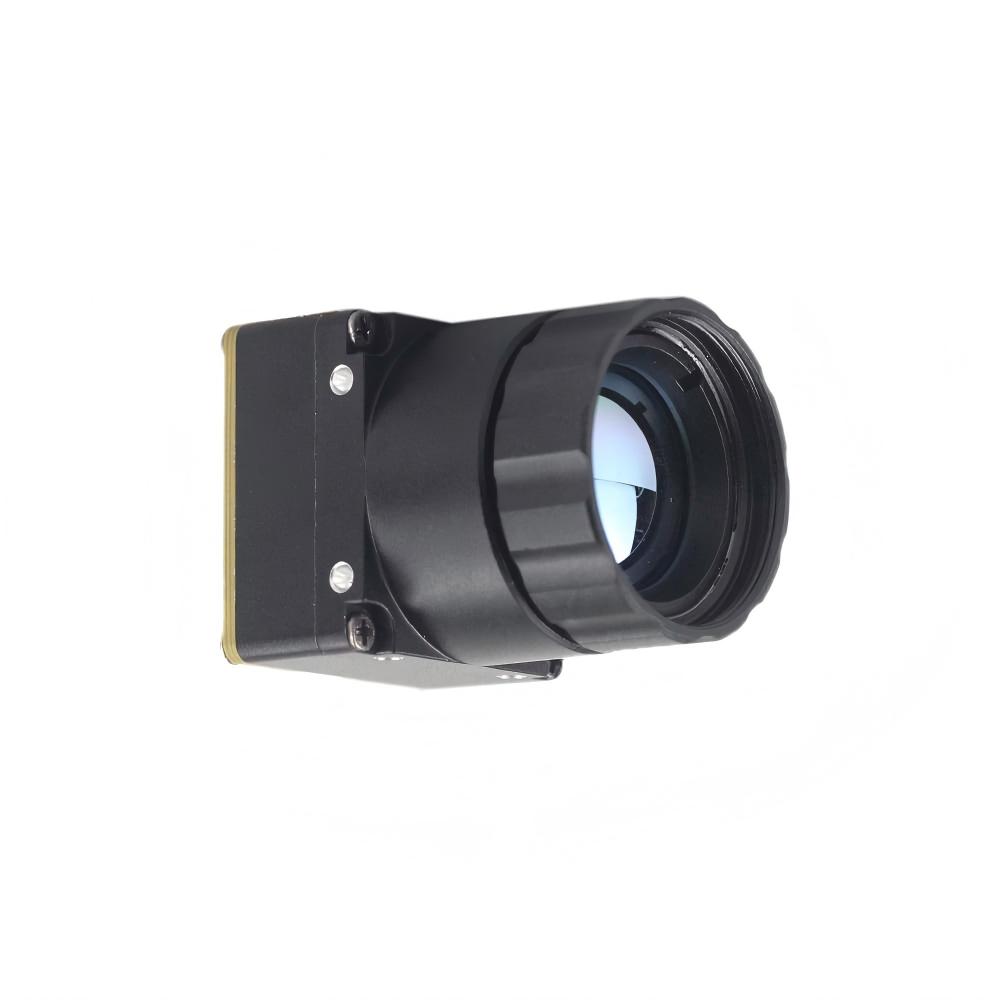
When selecting a professional, uncooled 640×512 thermal core for a Raspberry Pi project, your choice will typically land on either a network-ready IP module or an ultra-compact USB module. Let's look at two industry-standard configurations that are built for reliable integration on Linux platforms.
| المواصفات التقنية | Uncooled Infrared RJ45 CVBS RTSP IP 640*512 ASIC Module | Uncooled LWIR USB Mini 640*512 Camera Core Module |
|---|---|---|
| Product Image | 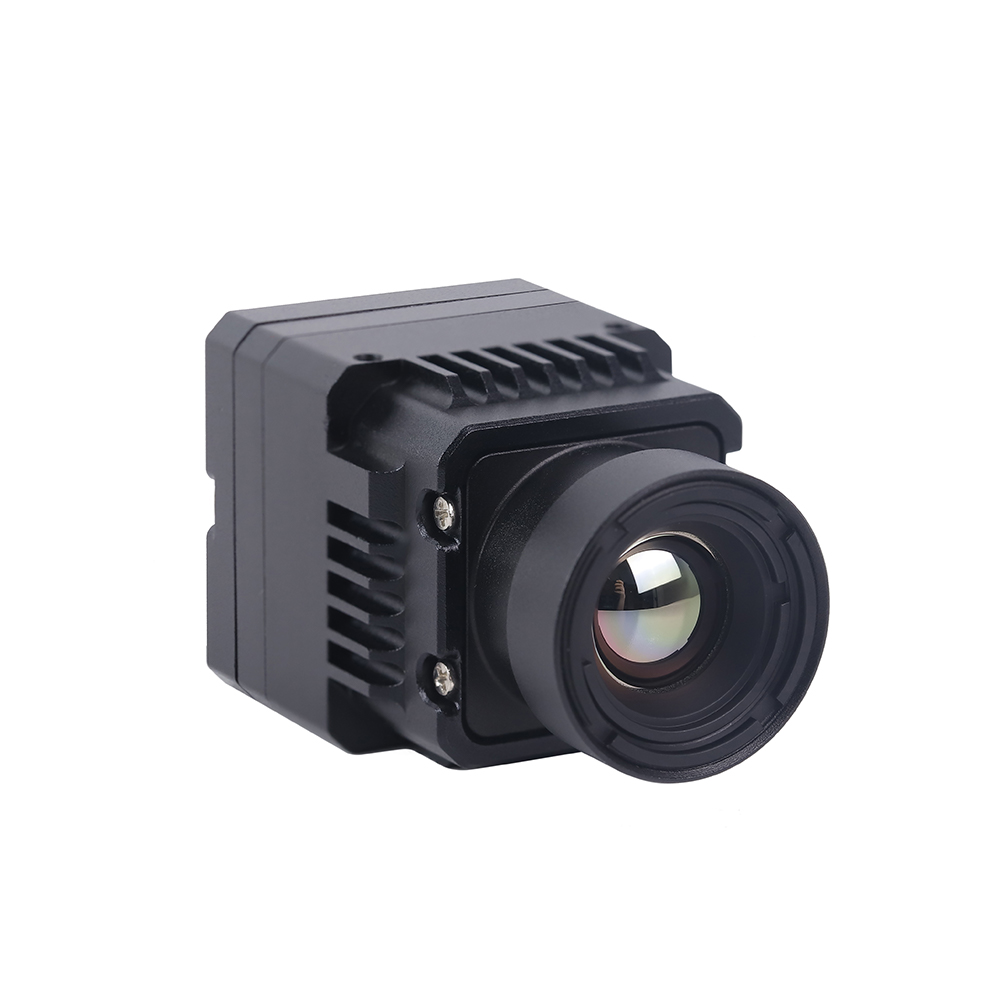 |
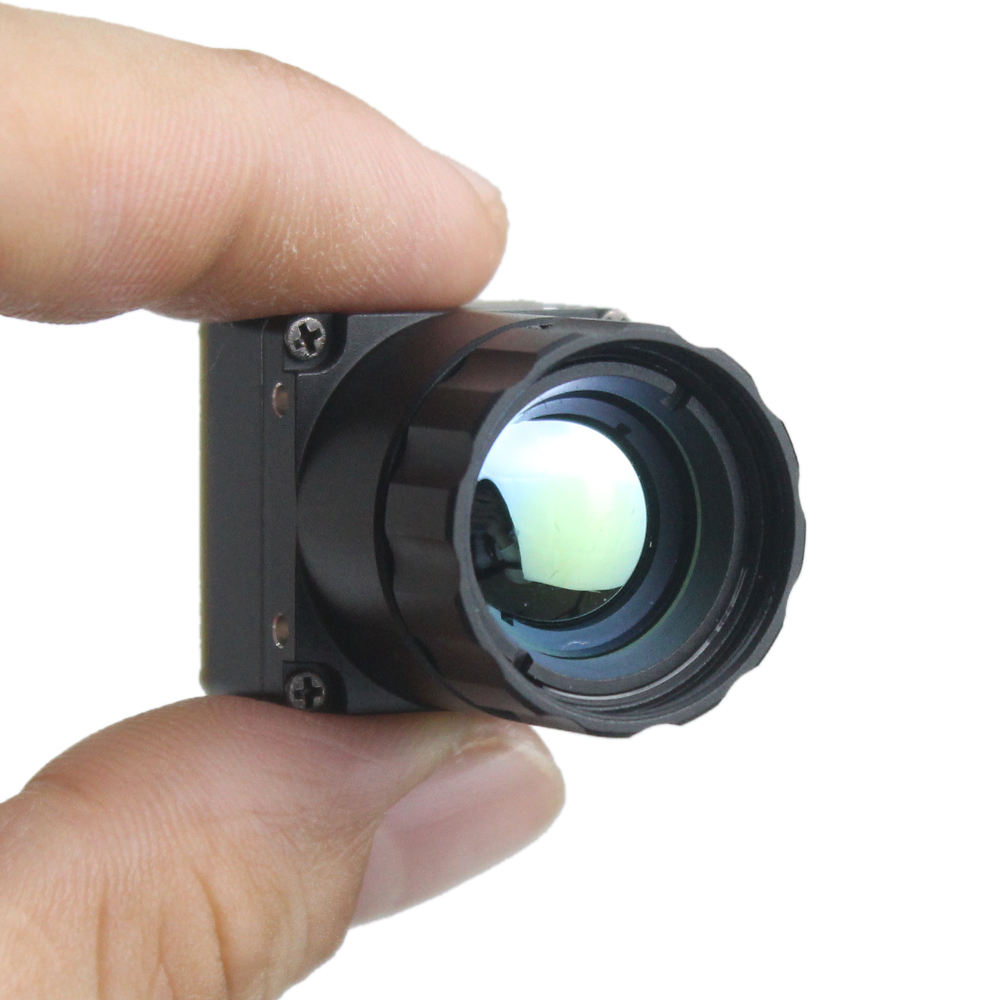 |
| Primary Video Interface | RJ45 Ethernet, CVBS Analog Out | USB 2.0 (Mini USB Interface) |
| الدقة الأصلية | 640 × 512 Uncooled FPA | 640 × 512 Uncooled FPA (640 × 480 optional) |
| تباعد البكسل | 12 ميكرومتر | 12 ميكرومتر |
| Sensor Type | ميكروبولومتر VOx غير مبرد | ميكروبولومتر VOx غير مبرد |
| Supported Protocols | RTSP, RTP, TCP/IP, UDP, DHCP, HTTP | UVC (USB Video Class), standard WebCam |
| Onboard ISP Processing | ASIC-based NUC, AGC, DDE, Pseudo-Color | ASIC-based NUC, AGC, Pseudo-Color, Bad Pixel Correction |
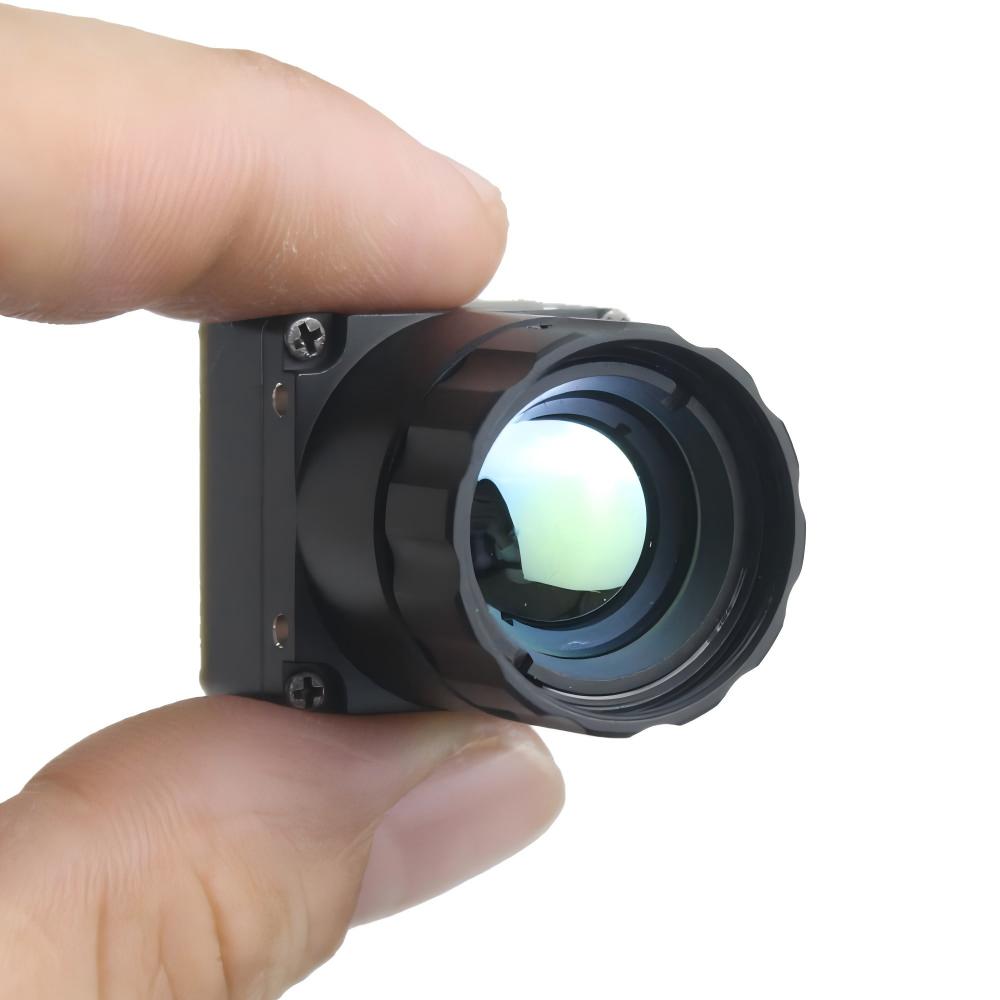
| Dimensions (L x W x H) | Compact integrations | 21mm × 21mm (Ultra-miniature footprint) |
| Lens Focal Length Options | Optimized for Drones & Long-Range Monitoring | 5مم، 9مم، 13مم، 18مم، 35مم، 50مم، 75مم، 100مم، 150مم |
| Best-Use Application | Long-distance security, remote IP, drone RTSP streams | Low-latency local AI, compact drones, handheld analyzers |
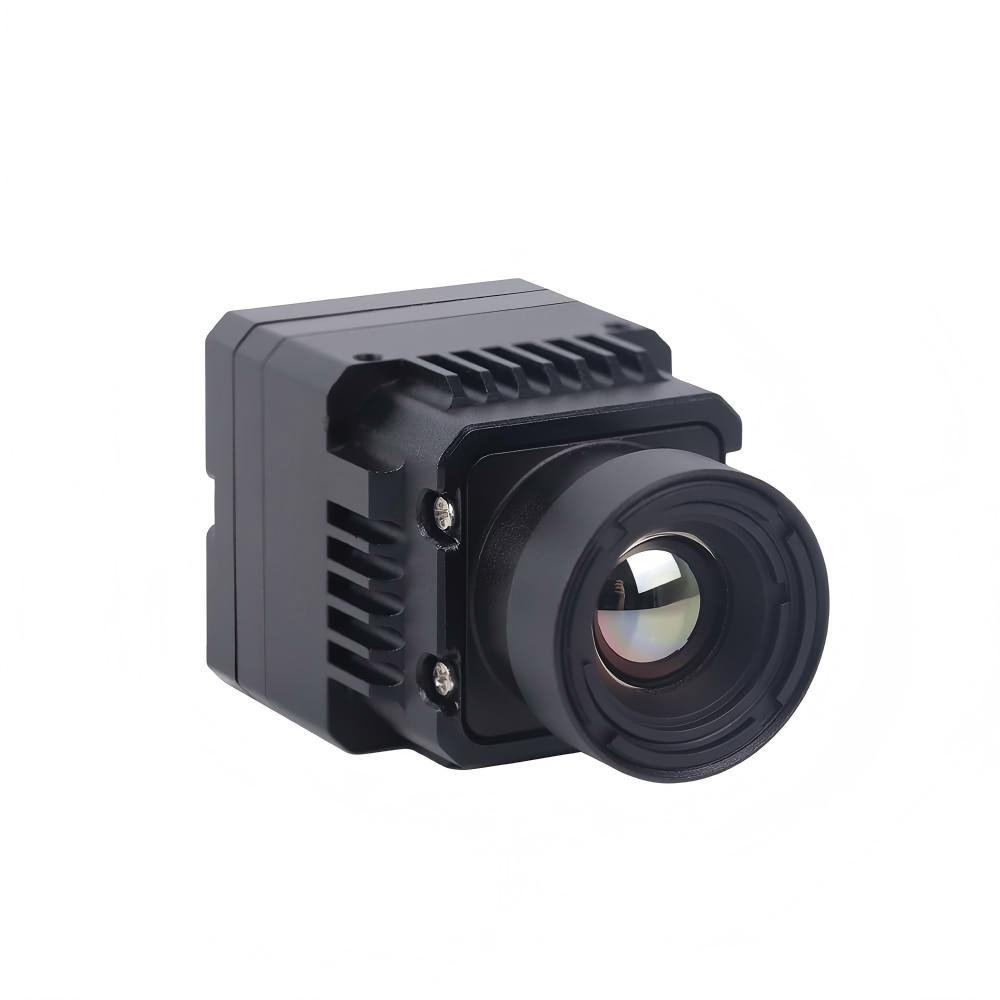
Uncooled Infrared RJ45 CVBS RTSP IP 640*512 ASIC Module Showcase
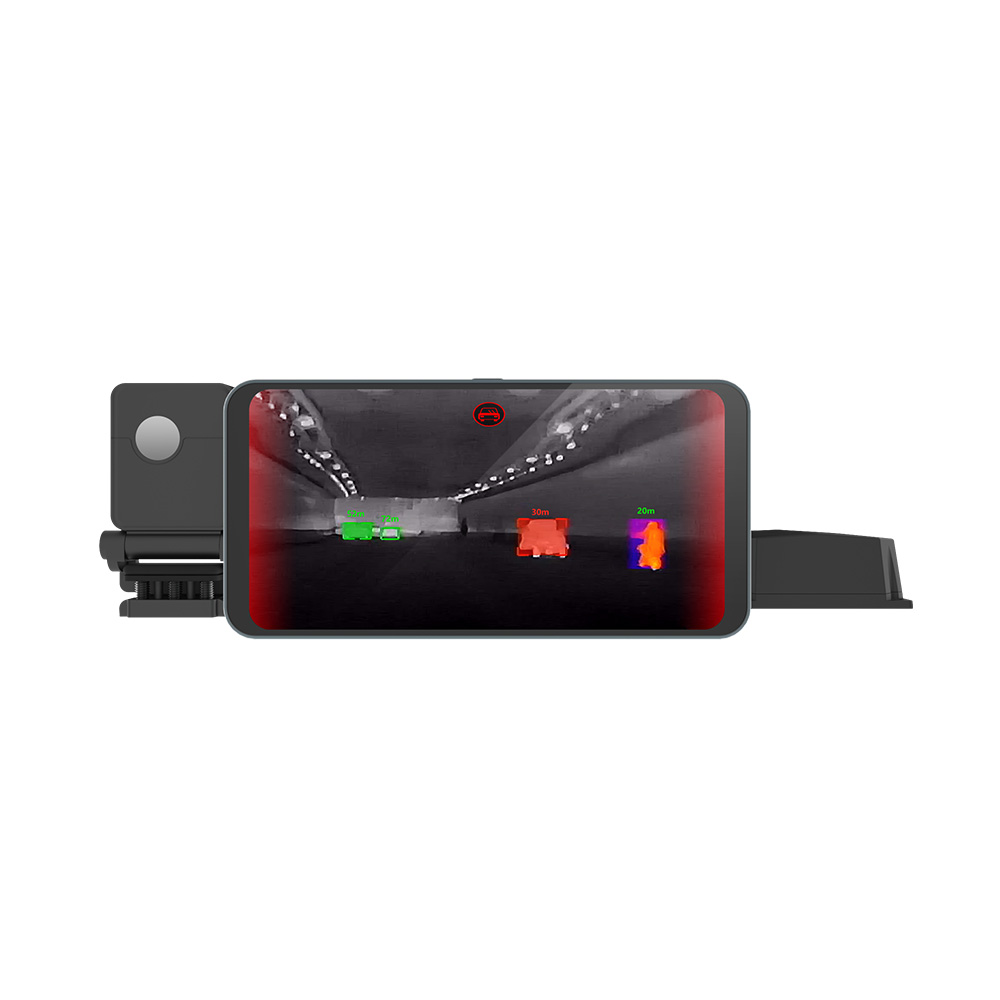
If you are building distributed systems or drone arrays, this RJ45 RTSP IP core is an absolute workhorse. It features an on-board ASIC that handles your non-uniformity correction (NUC), gain matching, and local digital contrast algorithms on-the-fly. By embedding an efficient compression block, it outputs highly fluid H.264 video streams directly over local network switches. This lets you setup remote thermal stations with zero frame drops.
Uncooled LWIR USB Mini 640*512 Camera Core Module Showcase
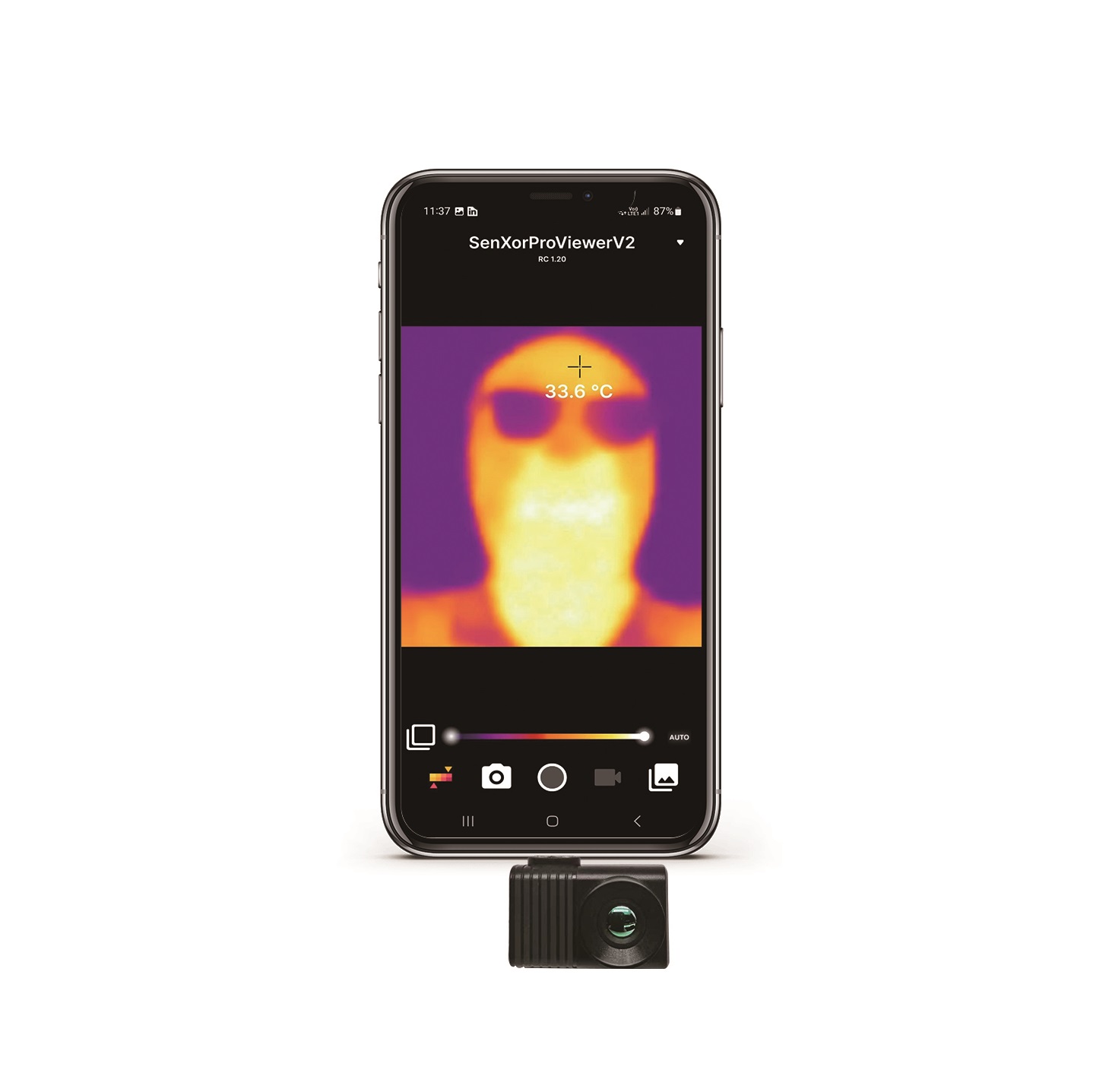
If space is tight and you need absolute minimum latency, you go with this USB Mini module. Measuring a mere 21mm by 21mm, it is tiny enough to bolt into compact gimbal frames or pocket-sized inspection gear. Because it is a plug-and-play UVC device, your Raspberry Pi treats it like a native camera. It supports an unbelievable range of Germanium and Chalcogenide lenses, from a wide-angle 5mm lens up to a tight 150mm telephoto setup.
بناء خط أنابيب للذكاء الاصطناعي الطرفي والبث عبر لينكس على راسبيري باي
When you're trying to build a stable computer vision stack on the Raspberry Pi, your choice of code architecture will make or break your frame rate. Let's make one thing clear: if you are trying to write basic Python loops that grab frames, convert formats, and pass arrays sequentially, your pipeline will drag. You'll run into garbage collection lag, queue blockages, and high system latency.
Optimization Strategies for Raspberry Pi (Debian Bullseye/Bookworm)
- ✅ Stop Reading Frames in the Main Thread: If your AI inference blocks for 40ms, your ingest pipeline drops subsequent frames. Always run your camera interface inside a dedicated high-priority daemon thread.
- ✅ Bypass CPU Decompression: Use hardware acceleration blocks via GStreamer APIs. When processing RTSP streams, use
v4l2h264decأوv4l2m2mto keep compression processing off your arm cores. - ✅ Drop Frames on Overrun: Never let queue buffers build up. If your AI model takes too long to run, drop old frames and grab the newest frame from the thread buffer immediately (using a zero-buffer appsink).
Practical Code Implementation
Here is a battle-tested Python class utilizing robust GStreamer pipelines to ingest both local USB UVC feeds and network RTSP streams with zero frame lag. It uses multi-threaded buffers to ensure you always have instant access to the latest raw frame without stuttering.
import cv2
import sys
import time
import threading

class ThermalPipelineIngester:
    def __init__(self, source_type="UVC", address="/dev/video0", rtp_latency=100):
        """
        Initializes an optimized frame ingestion stream under Linux.
        source_type: "UVC" for local mini USB modules, "RTSP" for ethernet modules.
        address: Device path (like '/dev/video0') or network RTSP URL.
        """
        self.source_type = source_type.upper()
        self.address = address
        self.rtp_latency = rtp_latency
        self.frame = None
        self.is_running = False
        self.lock = threading.Lock()
        self.cap = None

    def _get_gstreamer_pipeline(self):
        """
        Builds optimized GStreamer launch strings.
        Forces the hardware pipeline to bypass heavy CPU thread conversion bottlenecks.
        """
        if self.source_type == "RTSP":
            # RTSP injection using system hardware decoders (v4l2m2m/v4l2h264dec)
            gstreamer_str = (
                f"rtspsrc location={self.address} latency={self.rtp_latency} ! "
                "rtph264depay ! h264parse ! "
                "v4l2h264dec ! "
                "video/x-raw, format=I420 ! "
                "videoconvert ! video/x-raw, format=BGR ! "
                "appsink drop=true sync=false"
            )
            return gstreamer_str
        elif self.source_type == "UVC":
            # Native UVC configuration to pull 640x512 streams
            gstreamer_str = (
                f"v4l2src device={self.address} ! "
                "video/x-raw, width=640, height=512, format=YUY2 ! "
                "videoconvert ! video/x-raw, format=BGR ! "
                "appsink drop=true sync=false"
            )
            return gstreamer_str
        else:
            raise ValueError("Invalid source type configuration provided.")

    def start_ingestion(self):
        self.is_running = True
        gstreamer_cmd = self._get_gstreamer_pipeline()
        print(f"[INFO] Launching GStreamer Core Engine:")
        print(f"       {gstreamer_cmd}")

        # Open source utilizing GStreamer integration backend
        self.cap = cv2.VideoCapture(gstreamer_cmd, cv2.CAP_GSTREAMER)

        if not self.cap.isOpened():
            print("[ERROR] Failed to compile and open camera via GStreamer.")
            self.is_running = False
            return False

        # Spawn thread to keep pulling frames and prevent buffer clogging
        self.thread = threading.Thread(target=self._update_frame_buffer, daemon=True)
        self.thread.start()
        return True

    def _update_frame_buffer(self):
        while self.is_running:
            ret, tmp_frame = self.cap.read()
            if not ret:
                print("[WARNING] Frame capture timeout. Retrying link...")
                time.sleep(0.01)
                continue

            with self.lock:
                self.frame = tmp_frame

    def get_latest_frame(self):
        with self.lock:
            return self.frame.copy() if self.frame is not None else None

    def stop(self):
        self.is_running = False
        if self.cap:
            self.cap.release()
        print("[INFO] Camera capture stopped.")

# Driver execution loop demonstrating live AI frame ingestion
if __name__ == "__main__":
    # To run local USB Module: source_type="UVC", address="/dev/video0"
    # To run IP Module: source_type="RTSP", address="rtsp://192.168.1.150:554/stream1"
    ingester = ThermalPipelineIngester(source_type="UVC", address="/dev/video0")

    if ingester.start_ingestion():
        print("[SUCCESS] Processing loop active. Press 'q' key to shut down visual feed.")
        start_time = time.time()
        frames_computed = 0

        try:
            while True:
                frame = ingester.get_latest_frame()
                if frame is not None:
                    frames_computed += 1

                    # Calculate true runtime loop speed
                    run_duration = time.time() - start_time
                    current_fps = frames_computed / run_duration if run_duration > 0 else 0

                    # ------------------------------------------------------------
                    # PLACE INFERENCE BLOCK HERE
                    # This is your entry hook for Edge models. Pass frame to:
                    # model_outputs = my_yolov8_detector(frame)
                    # ------------------------------------------------------------

                    # Overlay analytics on display frame
                    cv2.putText(frame, f"Analysis Stream FPS: {current_fps:.1f}", (15, 30),
                                cv2.FONT_HERSHEY_SIMPLEX, 0.7, (0, 0, 255), 2)

                    cv2.imshow("Raspberry Pi High-Res Industrial Thermal Feed", frame)

                if cv2.waitKey(1) & 0xFF == ord('q'):
                    break
        finally:
            ingester.stop()
            cv2.destroyAllWindows()
فيديو توضيحي لنواة التصوير الحراري المصغرة 640×512
الأسئلة الشائعة التقنية المتعمقة للأعمال بين الشركات
Why should I upgrade from low-resolution sensors like MLX90640 to a professional LWIR module for my Raspberry Pi?
Here's the deal: sensors like the MLX90640 are great for simple bench projects or checking if someone is walking through a doorway, but they fall flat when you need real spatial accuracy. At 32×24 resolution, you collect only 768 data points. When a drone is flying at 100 feet, or when you are monitoring complex factory machinery from across a room, a single target gets averaged out into a fuzzy, useless pixel blob. You can't run machine learning models like YOLO on that; there are no edge features or shapes to detect.
Upgrading to an uncooled 640×512 microbolometer gives you 327,680 real thermal pixels. That is over 400 times the information density. You get sharp physical outlines, clear thermal edges, and real target differentiation. Additionally, those consumer thermopile chips run over I2C, which introduces high latency and chokes your CPU. Professional modules communicate directly over UVC or Ethernet, using system-level drivers to offload your CPU and keep your frame rates fluid.
How do I stream real-time thermal video to a Raspberry Pi running Linux without lag?
In the shop, we see too many engineers screw this up by parsing raw socket streams line-by-line in single-threaded Python scripts. This creates massive memory-copy delays, causing lag to spiral out of control. To run zero-lag thermal feeds, you need to configure your ingest pipeline to use asynchronous threads and hardware-accelerated loops.
For USB UVC cameras, use the Video4Linux2 (V4L2) kernel API combined with GStreamer. For network modules, ingest your RTSP feeds using GStreamer as your OpenCV back-end and configure the buffer limits to 'drop-on-overrun'. This ensures that if your AI model slows down for a split second, your camera queue instantly throws away stale frames and serves up the newest, lowest-latency frame immediately.
What are the differences between CVBS, RTSP, and USB output in industrial modules?
Your physical integration requirements will dictate which output format you should choose:
- ⚙️ CVBS (Composite Video Baseband Signal): This is a standard analog television format. It has virtually no transmission lag and wires directly into long-range analog drone transmitters. The downside is that it requires an external analog-to-digital converter chip to interface with a Raspberry Pi, which is an extra point of failure and degrades image clarity.
- ⚙️ RTSP (Real-Time Streaming Protocol): This is an IP network stream compressed directly on the sensor core's ASIC using formats like H.264. This lets you run long Cat5e/Cat6 cables (over 300 feet) and stream directly to multiple switches and network systems. However, network processing and compression introduce a slight latency penalty (usually around 150ms).
- ⚙️ USB (UVC): This turns your module into a standard, driverless plug-and-play webcam. It is the easiest way to pull raw, high-speed digital frames directly into a local Raspberry Pi with near-zero latency, but you are physically restricted to standard USB cable lengths.
How do uncooled VOx microbolometers perform NUC (Non-Uniformity Correction) and why is it critical?
Look at how microbolometer pixels are built: they are tiny mechanical membranes suspended over a substrate, measuring tiny resistance changes caused by incoming heat. But here's the catch: as your device warms up under normal operation, the heat from your own processor boards, external components, and ambient temperature shifts causes the sensor's individual pixels to drift. This introduces fixed pattern noise (which looks like vertical streaks, ghosting, or a cloudy haze across your image).
To fix this, uncooled sensors use a Non-Uniformity Correction (NUC) routine. When the system detects a temperature drift, a small, voice-coil-driven mechanical shutter drops in front of the FPA for a fraction of a second. This shutter provides a perfectly uniform temperature card. The ASIC reads the pixel array, maps the variations from pixel to pixel, and writes a real-time calibration table. When the shutter snaps back open, the core subtracts this pattern from the incoming feed, giving you a clean, crisp thermal image.
📚 المراجع والقراءات الإضافية
- Industry Standards & Electronics Manufacturer: شركة Shenzhen ChiYi Electronics Co., Ltd.
- Industrial Lenses & Infrared Optomechanics: لايت باث تكنولوجيز
- Alternative Product Options: Purpleriver Thermal Imaging Store Selection
- دليل ذو صلة: Can we convert a regular camera into a thermal imaging camera? From DIY beginners to professional level thermal imaging solutions